
[Update 10/27/16: Apple has discontinued this model]
A client recently hired me to set up his new laptop for him. To make a long story short, he needed a Macbook Pro with a non-retina screen. He wanted something with plenty of storage space. He also wanted a solid-state hard drive (SSD). He also wanted a new computer with a warranty.
My solution? Let's get started.
First, let's take care of the "oh, but this will void your warranty" argument. No, it won't. Here is another article. In a nutshell, the Magnuson-Moss Warranty Act of 1975 states that a company can’t require you to upgrade with OEM parts to retain the warranty.
Here is the actual product that my client purchased from Apple:
http://www.apple.com/shop/buy-mac/macbook-pro?product=MD101LL/A&step=config#
Apple doesn't exactly make it easy to find this product on their site, but it is still available for ordering.

Then, we ordered a few other components from OWC:
- Data Doubler Bracket / Kit
- New SSD (for the operating system)
- New regular HD (for storing media; documents, videos, etc)
- Optional: Extra HD enclosure for the original drive that comes in the laptop. This will give you a spare external USB hard drive for backups or what-have-you.
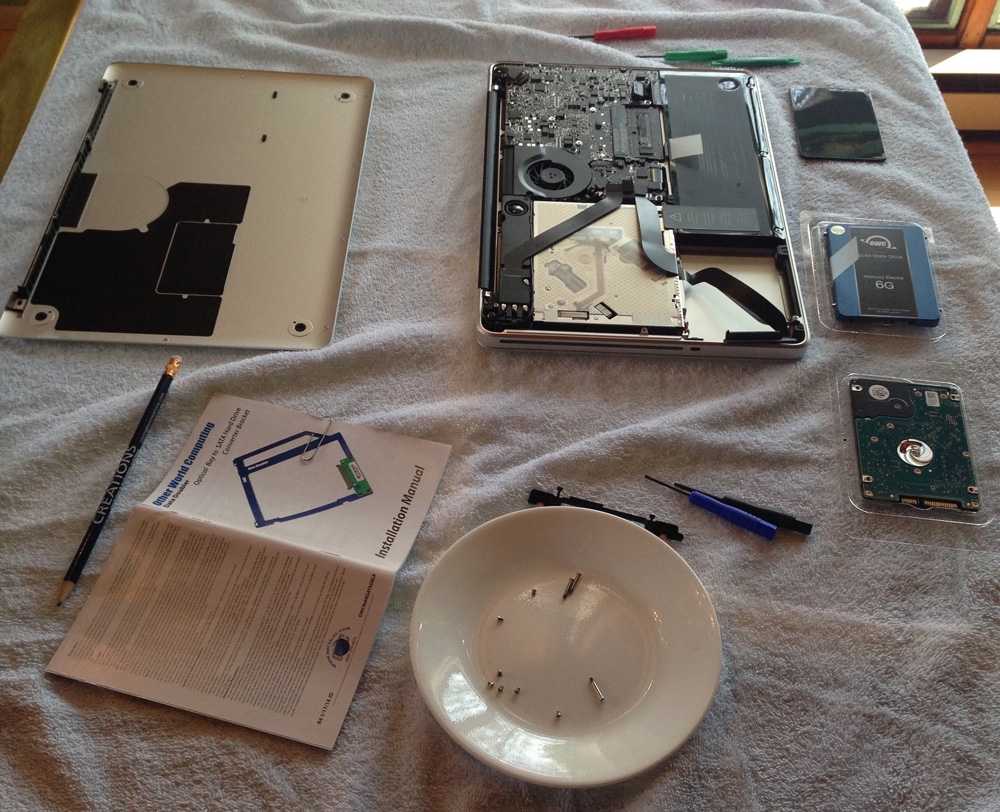
Some photos of the overall process:

Above: Photo of everything required for the 'surgical procedure'

Above: Photo of Macbook Pro disassembled, original hard drive removed.

Above: Photo comparison of the original SuperDrive and OWC Data Doubler bracket with the "storage" HD installed.
